Fronius Solar.web is our official platform for viewing compatible solar-system monitoring data. Start with the official browser platform below. The same Fronius account works on the web and in the official app. Signing in does not necessarily mean the PV system you expect to see has been commissioned, assigned to that account or made visible with your permissions. We are currently distinguishes system ownership, account access and permission levels within Solar.web.
Solar.web browser access:
Open Fronius Solar.web
Official iPhone and iPad app:
Fronius Solar.web on the Australian App Store
Official Android app:
Fronius Solar.web on Google Play
Use only Fronius-controlled websites and official app-store listings when entering account details. Do not share your password, recovery codes, QR codes or other account credentials with an unverified party.
What are you trying to do?
| Your task | Start here |
|---|---|
| Sign in to Solar.web | Use the official browser link |
| Find the official mobile app | Use the official Apple App Store or Google Play Store |
| Recover account access | Use the password-recovery option presented through the official Fronius sign-in process |
| Your PV system is not visible | Check account, system assignment and permissions |
| Check current solar generation | Open your available system overview |
| Review earlier days or periods | Use the available historical or daily-curve views |
| Understand household consumption | Check whether compatible metering and configuration are present |
| Consumption is missing | Treat it as an information gap, not proof of a generation fault |
| Recent Solar.web data is missing | Check timestamps and whether the issue affects both browser and app |
| You see an alert or message | Record the exact wording before asking for help |
Solar.web access and Fronius account access are not the same thing
A Fronius account provides the user authentication used to sign in. Solar.web is the monitoring platform that shows PV-system information to users who have access to a system.
Successfully signing in does not guarantee that a particular PV system will appear. Our current guidance says a system is usually associated during first commissioning, but systems can also be added later. It also recognises three Solar.web roles: Owner, Supervisor and Guest. The Owner has full system access, a Supervisor can access the system and most settings, and a Guest has read-only access. Which system you can see and what you can do can therefore depend on commissioning, system ownership, permissions and configuration.
If the expected system is missing, do not assume the cause. Possibilities can include using a different account, a system already associated with another account, incomplete commissioning, a system that has not yet been added to the account, or insufficient permissions. Systems can already be associated with another user account or installer account.
If the system should already be available to you and the cause is not clear, your installer, the appropriate system owner or administrator may need to help.
This homeowner guide does not cover commissioning, ownership transfer, installer-level configuration or changing system permissions.
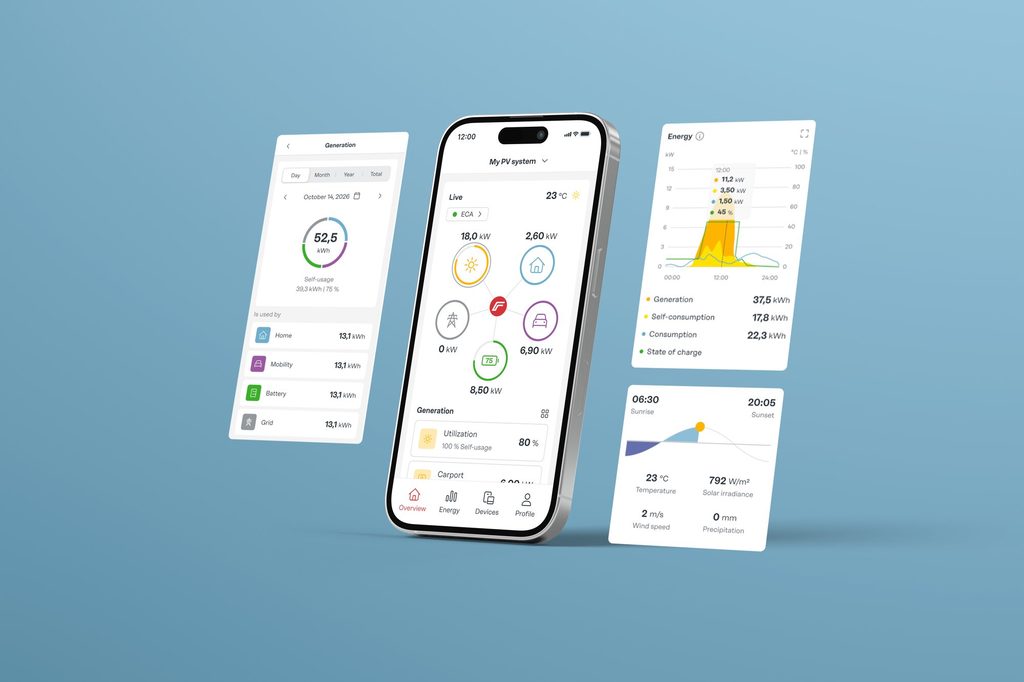
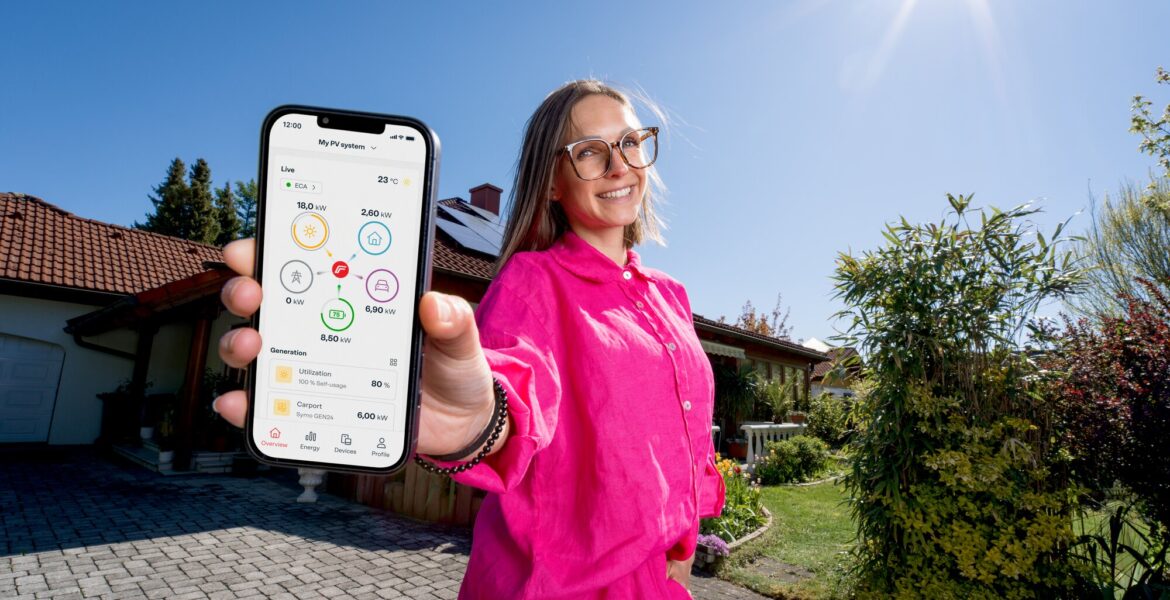
For compatible and appropriately configured Fronius systems, Solar.web can show current values, daily curves and historical energy data. The exact information available depends on the equipment, system configuration, communications, account role and whether a function belongs to Standard or Premium access.
Generation and consumption are different measurements
Solar generation tells you what the PV system is producing. Household consumption tells you what the property is using. Seeing one does not guarantee that the other is being measured or displayed.
| Solar.web information | What it represents | What may be required |
|---|---|---|
| PV generation or yield | Energy produced by the PV system | Compatible Fronius inverter/data communication and a functioning Solar.web connection |
| Current PV power | Current production value where available | Compatible system and current communications |
| Historical PV energy | Previously recorded generation data | Historical data successfully transmitted to Solar.web |
| Household consumption | Electricity used by the property | Compatible, correctly configured Fronius Smart Meter and appropriate system setup |
| Battery information | Battery data where supported | Compatible battery and system configuration |
| Grid import/export | Energy flow between the property and grid where supported | Compatible metering and correct system configuration |
A Fronius Smart Meter is required to display power consumption in Solar.web. The presence and placement of that meter within the system design, together with the configuration, determine what consumption information can be available.
Verify whether your system includes a Fronius Smart Meter by checking your installation records or contacting your installer. Do not inspect the switchboard or other electrical equipment yourself. Check your quote, equipment schedule, installation records, existing Solar.web information or installer documentation instead.
A Solar.web screen is not identical for every user.
Solar.web Premium adds functions including more detailed self-consumption, archive-data and weather forecast visualisation as well as reporting and storage-system analysis. Certain premium features are browser-based only and their availability may differ by country, depending on the local energy infrastructure.
The browser and app are technically different. You can use the same Fronius account, but layout and available functions may differ. If a function is not visible in the app, check the browser version and our official support information.
The differences can also depend on account role, compatible equipment, configuration, communications and available historical data. Premium is an access boundary here, not a recommendation to buy an upgrade.
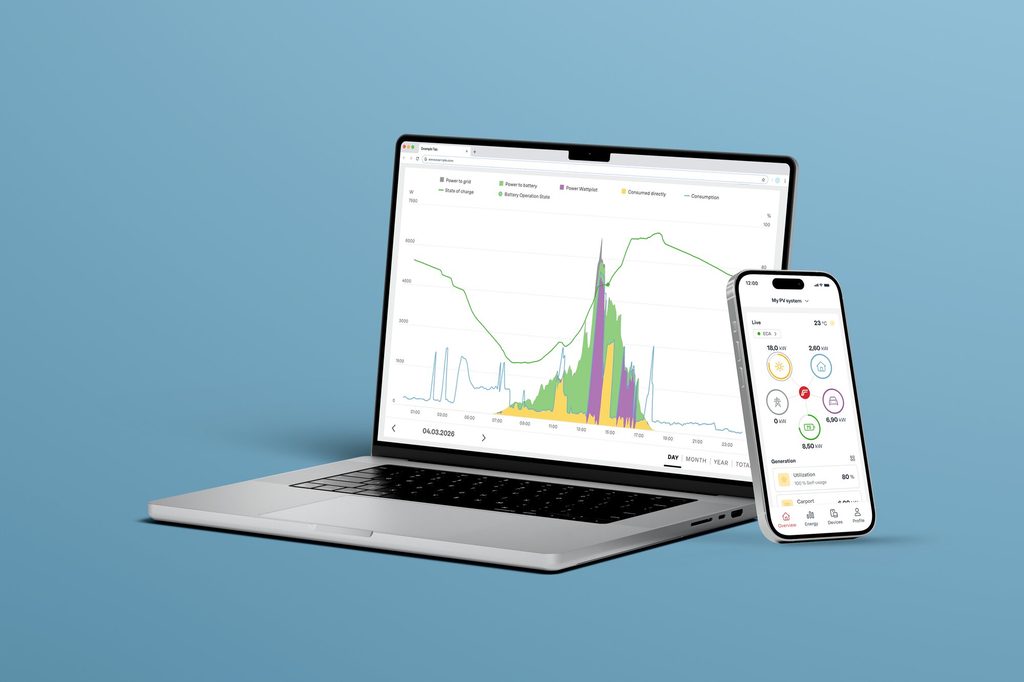
Missing consumption information does not prove that the solar system has stopped generating, that the inverter is faulty, that a Smart Meter has failed or that your account is incorrectly configured.
It tells you that the expected consumption information is not visible.
Direct consumption display requires a Fronius Smart Meter, and the consumption widget is available only where the required it is present.
Review your installation records or quote to confirm whether your system includes a Fronius Smart Meter, check if consumption data was previously available, identify the most recent data timestamp, and compare browser and app performance to spot any differences.
If consumption monitoring was part of the installed system but remains unavailable, contact the installer or official Fronius Solar.web support.
Solar.web depends on data reaching the platform. The inverter’s data-communication function transmits system information to Solar.web through a LAN or WLAN connection. We are supporting also states that a system may appear offline when the internet connection to the device is faulty or interrupted.
That creates an important distinction:
- Monitoring-data gap: Solar.web is not receiving or displaying the expected data.
- Possible generation problem: separate system evidence suggests the PV system itself is not generating as expected.
A blank chart, old timestamp or offline status does not by itself diagnose an inverter or generation fault.
For broader inverter context, see why the inverter matters for solar monitoring.
Common Solar.web problems: what to check first
| What you see | Possible explanation, not a diagnosis | Safe user check | Escalate when |
|---|---|---|---|
| You cannot reach Solar.web | Wrong or outdated destination, browser issue or temporary service problem | Use solarweb.com directly and try the official app | The verified service remains unavailable |
| You cannot sign in | Account or password problem | Use the recovery option presented by the official Fronius sign-in flow | Recovery does not restore access |
| Your system is not visible | Wrong account, system not yet added, commissioning/ownership issue, system already tied to another account or insufficient permission | Confirm which account you are using and whether the system was previously visible | The system should be available but remains missing |
| Generation data is missing or old | Communications or data-transfer issue may be involved | Check timestamps and whether browser and app show the same gap | The gap persists or there is separate evidence of a system problem |
| Consumption is missing | Required metering, configuration, permissions or communications may be involved | Check installation records and whether consumption was previously visible | Consumption monitoring was expected but remains unavailable |
| App and browser differ | Interfaces and available functions are not identical | Check the current browser version | A required function cannot be found or used |
| An alert or message appears | Meaning depends on the exact system and message | Record the exact wording or code without manipulating equipment | The message persists, repeats or requires technical action |
These explanations are starting points, not diagnoses.
This matrix stops before inverter resets, firmware updates, local-device configuration, electrical switching or metering changes. Those actions belong with appropriately authorised users following the correct product documentation.
What to record before asking for help
Gather the following information before you contact your installer or Fronius support, without accessing account credentials or handling any electrical equipment:
- the date and approximate time the issue started;
- whether you are using the browser or mobile app;
- your device and operating system if the issue appears app-specific;
- the exact visible error, alert or status message;
- a screenshot with personal and system-identifying information obscured;
- whether the missing information is generation, consumption or all data;
- the timestamp of the most recent data visible;
- whether the missing information was previously available;
- whether the same problem appears in both browser and app;
- the inverter model from existing records if known;
- whether your records show a Fronius Smart Meter if consumption is the issue; and
- your installer details.
Do not send passwords, recovery codes, QR codes, private network information or other account credentials. If an official Fronius process requires identity verification or product-specific information, use the secure route provided by Fronius.
When should you contact your installer or Fronius support?
Contact your installer if the issue appears related to system commissioning, inverter or Smart Meter configuration, Smart Meter communication, or system assignment. These settings are typically configured during installation and commissioning, and may require installer access to diagnose and correct.
Use official Fronius Solar.web support for unresolved account or Solar.web issues.
Do not switch batteries off, disconnect an inverter, operate AC or DC isolators, open equipment, change metering or network configuration, perform firmware updates or recommission devices as part of the homeowner checks in this article.
Frequently asked questions
What is the official Fronius Solar.web login?
Use Fronius Solar.web as the principal public Solar.web access point.
Can I use the same account in the Solar.web app and browser?
Yes. You can use the same Fronius account to access both the app and the web browser version of Solar.web. However, the app and browser offer different functionality, and some features are only available in the browser.
Why is my PV system missing after I sign in?
Signing in authenticates your account; it does not prove that the expected system is assigned and visible. System commissioning, ownership, permissions, an existing association with another account or the need to add the system may be relevant. Do not assume which cause applies without checking.
Do I need Solar.web Premium to monitor my solar system?
No. Our free Solar.web account is enough for core monitoring. Premium adds further analysis, archive, forecast and reporting functions. Exact availability can differ by interface, account role, equipment and configuration.
Why can I see generation but not household consumption?
Generation and consumption are different measurements. A compatible Fronius Smart Meter is required for consumption display. Missing consumption information does not by itself indicate a generation or inverter fault.
Does an offline Solar.web status mean my inverter has stopped working?
Not necessarily. A system can show as offline when its internet connection is faulty or interrupted. Treat an offline status as a monitoring or communications signal unless separate evidence establishes a generation problem.